Let agents create, triage, and update Linear issues based on real-time signals across your stack
Overview
The Trackr integration gives Arty agents the ability to interact directly with your engineering and product workflow. Agents can create issues from customer support escalations, triage bug reports by assigning priority and labels, update issue statuses as work progresses, and post comments with context from other connected tools.
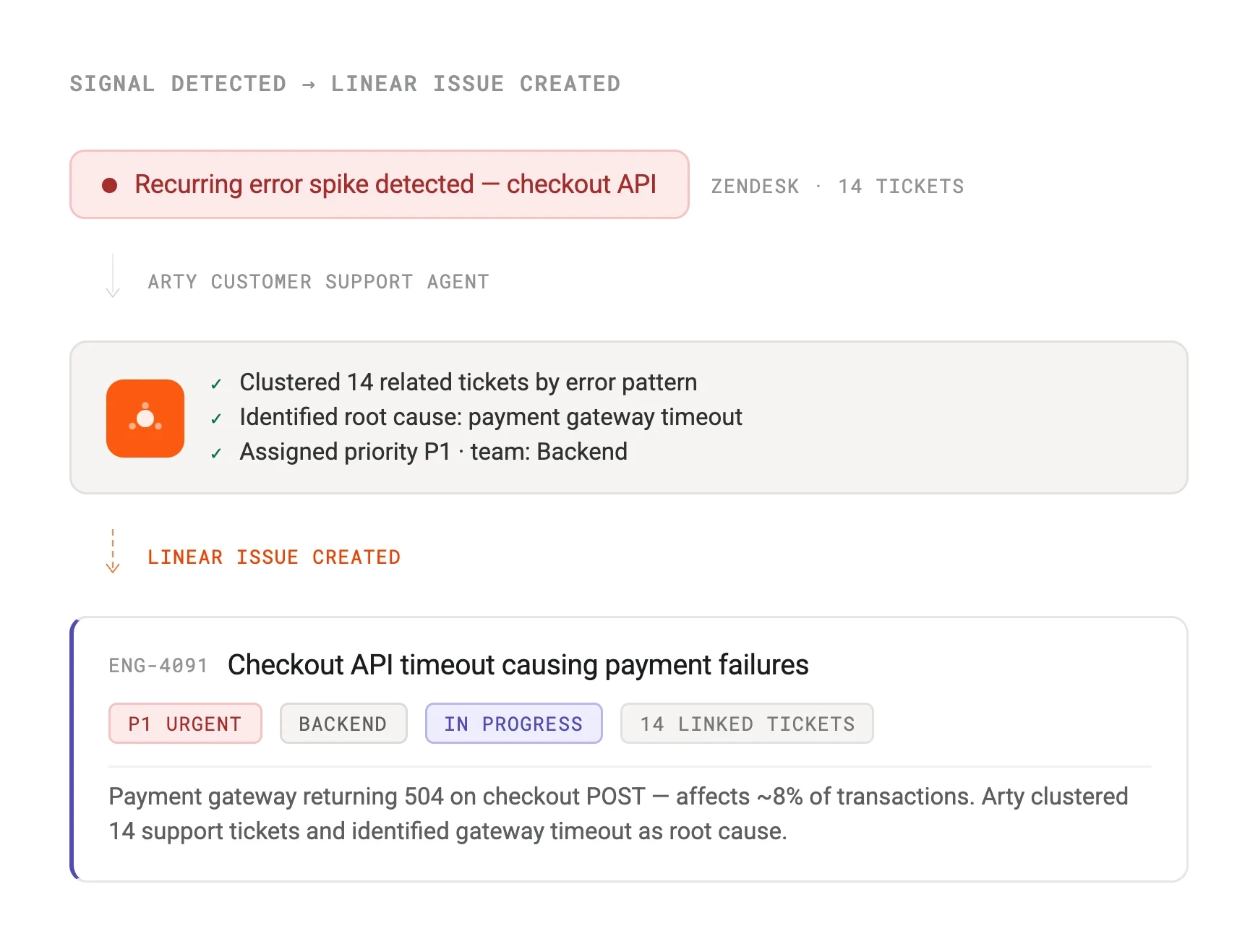
This closes the loop between what your agents detect and what your team acts on. A customer support agent that identifies a recurring bug doesn't just log it — it creates a Trackr issue with full context, assigns it to the right team, and sets the priority automatically.
How it works
Arty uses the Trackr GraphQL API for all issue operations. Creating an issue, updating its state, adding a comment, or changing the assignee are all handled via the API using the credentials granted during OAuth setup.
Trackr webhooks can also trigger Arty agent runs. When an issue transitions to a specific state — for example, moved to In Review — Trackr fires a webhook that Arty receives and uses to kick off a downstream agent, such as notifying a stakeholder in Pulse or updating a linked Orbit CRM deal.
Configure
Connect Trackr via OAuth from Arty Studio under Integrations > Collaboration. Select which Trackr workspace and teams the integration should have access to. Arty will request read and write scopes for issues, projects, and comments.
Once connected, configure which agent outputs should create or update Trackr issues, and map agent output fields to Trackr issue properties — title, description, priority, assignee, and labels. Team-specific configurations are supported if you have multiple Trackr teams.
Trackr
By
Trackr
Website
trackr.app
Docs
developers.trackr.app/docs