Send agent alerts, summaries, and escalations directly to your Pulse channels
Overview
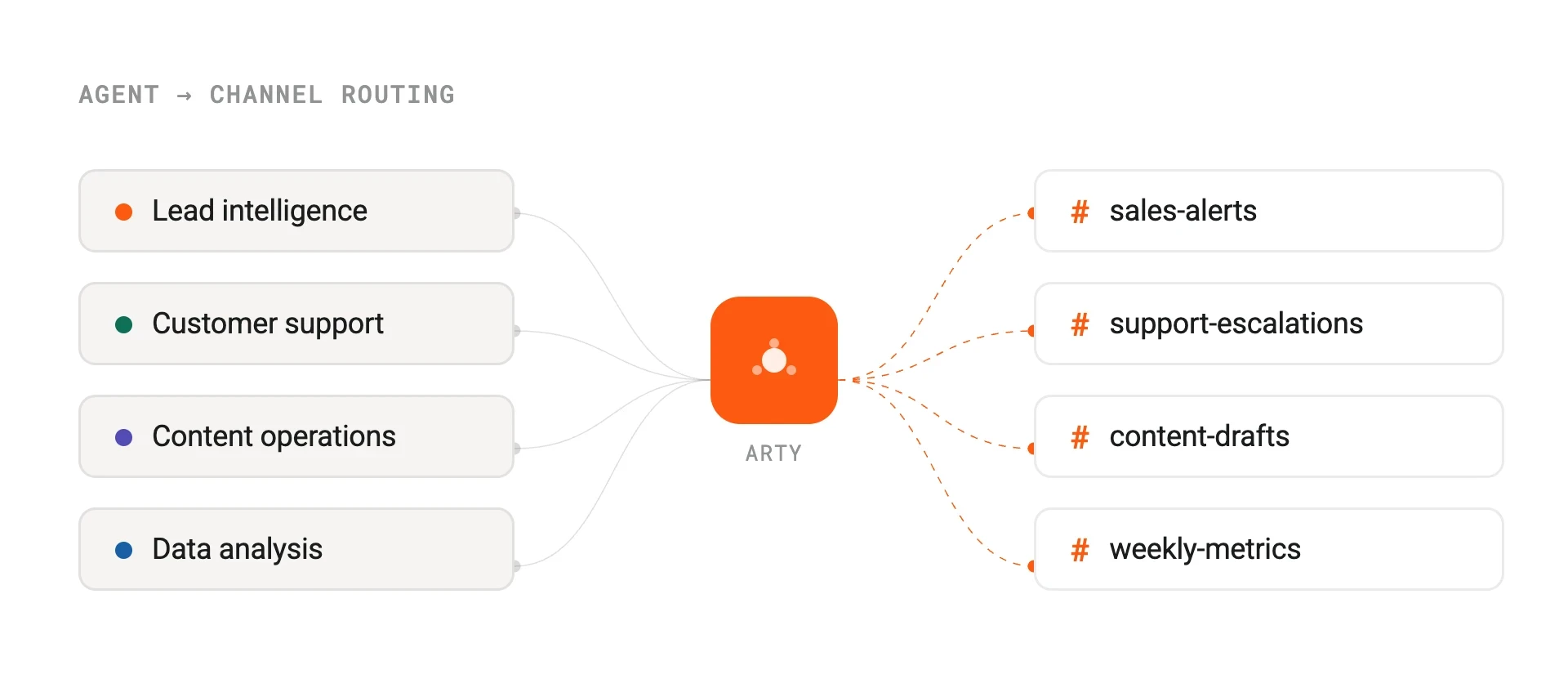
Arty's Pulse integration brings agent activity into the channels your team already lives in. When an agent completes a task, flags an anomaly, or needs a human decision, it posts directly to the right Pulse channel — no dashboard-checking required.
You can configure per-agent notification rules: choose which events trigger a message, which channel receives it, and what the message format looks like. Agents handling customer support escalations, for example, can ping your #support-escalations channel with a summary and a one-click link to the full ticket.
How it works
The integration uses Pulse's incoming webhooks and bot token APIs. Each Arty agent is mapped to one or more Pulse channels via the Studio configuration panel. When an agent run produces an output that matches a notification trigger, Arty formats the payload and sends it via the configured webhook.
For two-way workflows, agents can also listen for Pulse slash commands. A sales rep can type /arty enrich @acme-corp directly in Pulse and the Lead Intelligence agent will return enriched firmographic data in-thread within seconds.
Configure
Connect Pulse from the Integrations panel in Arty Studio. Authenticate with your Pulse workspace, then map each agent to the channels it should post to. Notification triggers are configured per agent under Settings > Notifications.
For slash command support, install the Arty Pulse app from the Pulse App Directory and grant the required bot scopes. Enterprise Grid customers can configure workspace-level permissions to restrict which channels agents can post to.
Pulse
By
Pulse
Website
pulse.chat
Docs
developers.pulse.chat/docs