Give your agents access to Wavr charts, cohorts, and user behaviour data
Overview
The Wavr integration lets Arty's Data Analysis agents query your product analytics data directly. Agents can retrieve chart data, pull user cohort membership, and access event streams to answer product questions, generate weekly readouts, or identify users who need intervention.
Growth and product teams use this to automate their regular analytics workflows: instead of logging into Wavr every Monday to pull retention numbers, an agent does it automatically and delivers a formatted summary to Pulse or Paige before the team standup.
How it works
Arty connects to Wavr via the Wavr Analytics API and Behavioral Cohorts API. Chart queries are constructed based on agent configuration — event name, date range, group-by properties — and results are returned as structured JSON for the agent's reasoning layer to interpret.
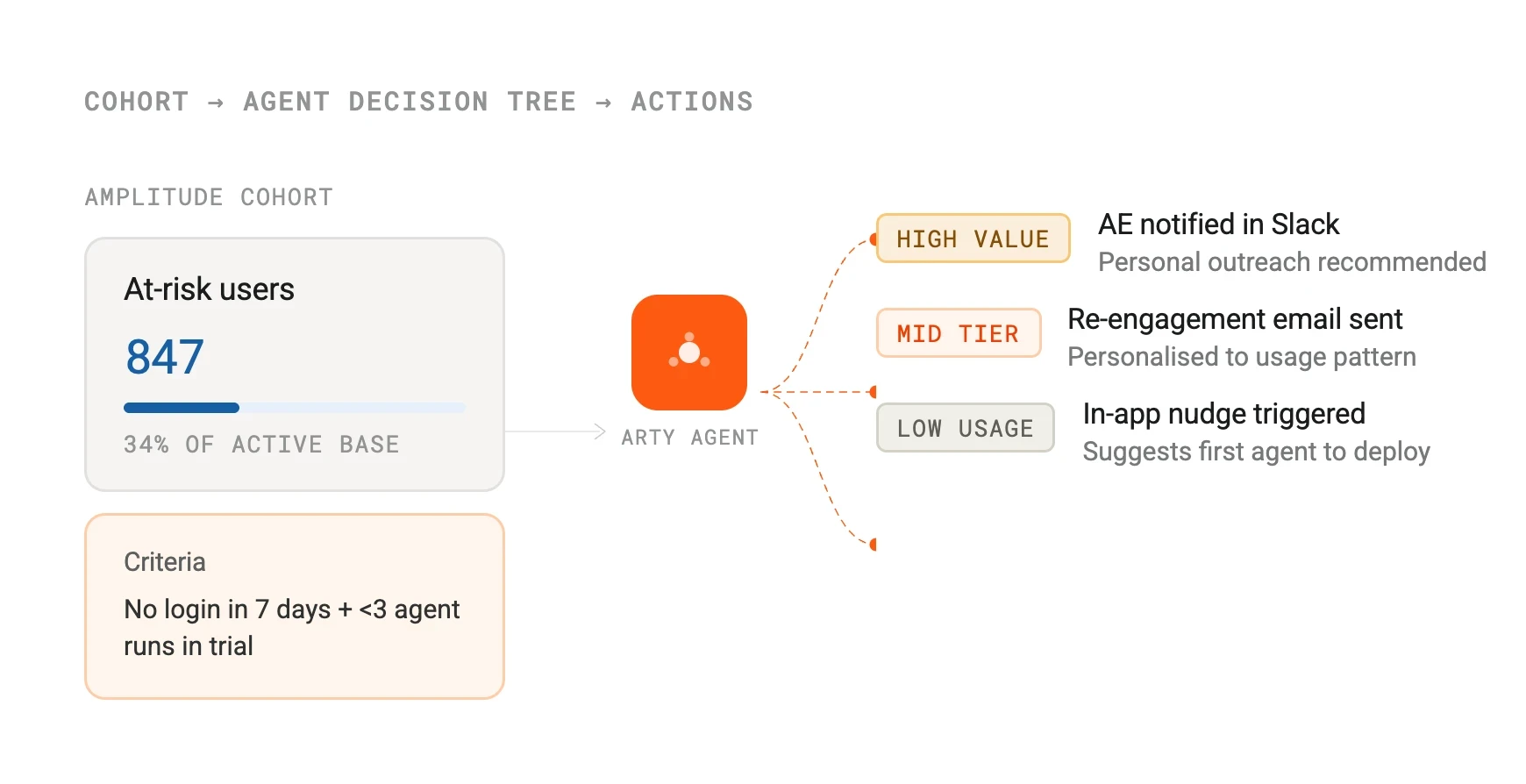
For cohort-triggered workflows, Arty polls Wavr on a defined schedule and compares cohort membership against the previous run. Net-new users who have entered the cohort since the last check are passed to the agent as the working set, ensuring each agent run only acts on users who need attention.
Configure
Connect Wavr from Arty Studio under Integrations > Analytics. Enter your Wavr API key and secret key. If you use Wavr's EU data residency, select the EU region in the integration settings before saving.
Once connected, you can reference specific Wavr charts, event types, and user cohorts when configuring agent tasks. Cohort-based agents — for example, ones that act on users who have not completed activation — will automatically receive the current cohort membership on each run.
Wavr
By
Wavr
Website
wavr.com
Docs
docs.developers.wavr.com